

Facebook Messenger Desktop
2150.11.211.0 by Meta (0 Reviews) July 08, 2024Latest Version
2150.11.211.0
July 08, 2024
Meta
Communications
Windows
130 MB
1
Free
Report a Problem
| Advertisement: |

| Advertisement: |
More About Facebook Messenger Desktop
Messenger is the messaging tool developed by Meta that allows us to communicate with all the people we have added to Facebook. Through this PC version, it is easy to open chats and manage video calls without having to use the Android application.
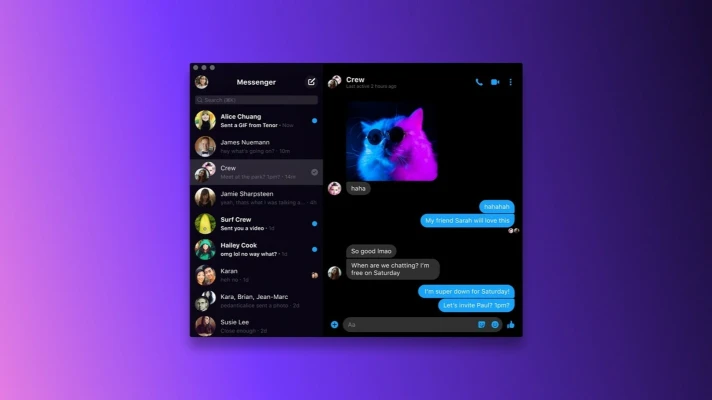
The way Messenger works on Windows is practically the same as the mobile version. When you start the tool, we will see a general window where all the open chats are shown. We will also find a list on the left side of the interface to open each conversation. Additionally, from here we can apply filters to quickly locate chats.
Of course, Messenger allows us to make video calls to contact other people via video. This is especially interesting in the Windows version, since we can take advantage of the quality of our PC's webcam to transmit our image in high definition.
In short, Messenger for PC allows us to connect with our Facebook contacts and maintain conversations both by text and video without difficulty. The tool includes all the options that we find in the Android application or in the web version, so we will already be familiar with how it works.
| Advertisement: |
Rate the App
User Reviews


| Advertisement: |
Popular Apps


| Advertisement: |
Editor's Choice


| Advertisement: |
| Advertisement: |
 Android
 iOS
iOS Windows
 Mac
Mac Linux
Linux| Advertisement: |